
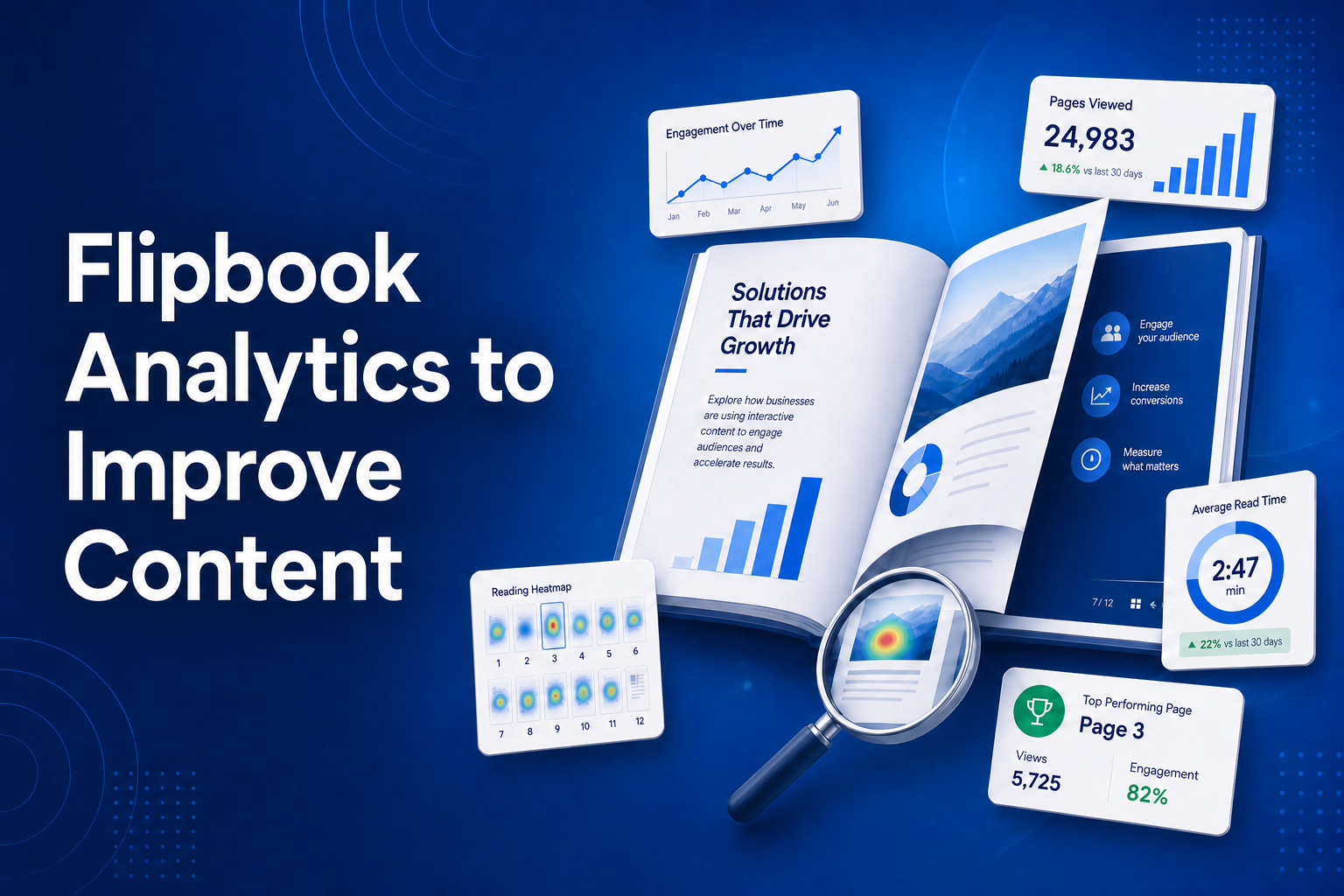
Publishing a flipbook is the easy part. The real wins come after - when you can see how people actually read it. Did they make it past the cover? Which page made them leave? What did they spend the most time on?
Every BrandBits flipbook reports detailed statistics for each individual page, so you are never guessing. This guide shows you how to read those numbers and turn them into a better, higher-converting flipbook - all on one platform for a single monthly fee.
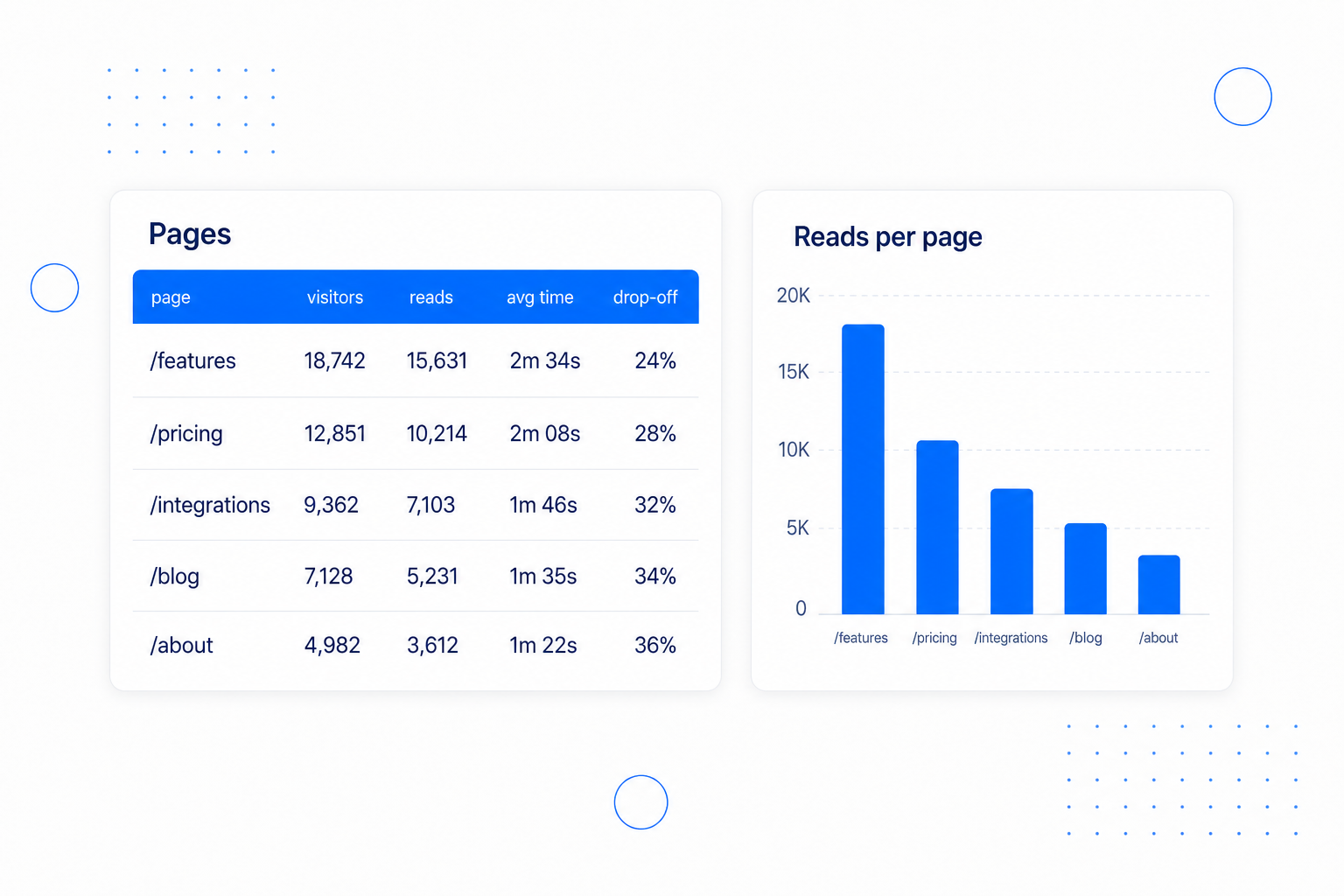
Total views tell you a flipbook was opened. They don't tell you what people actually read. Flipbook statistics break performance down page by page, so you can see exactly how far readers get and which spreads do the heavy lifting.
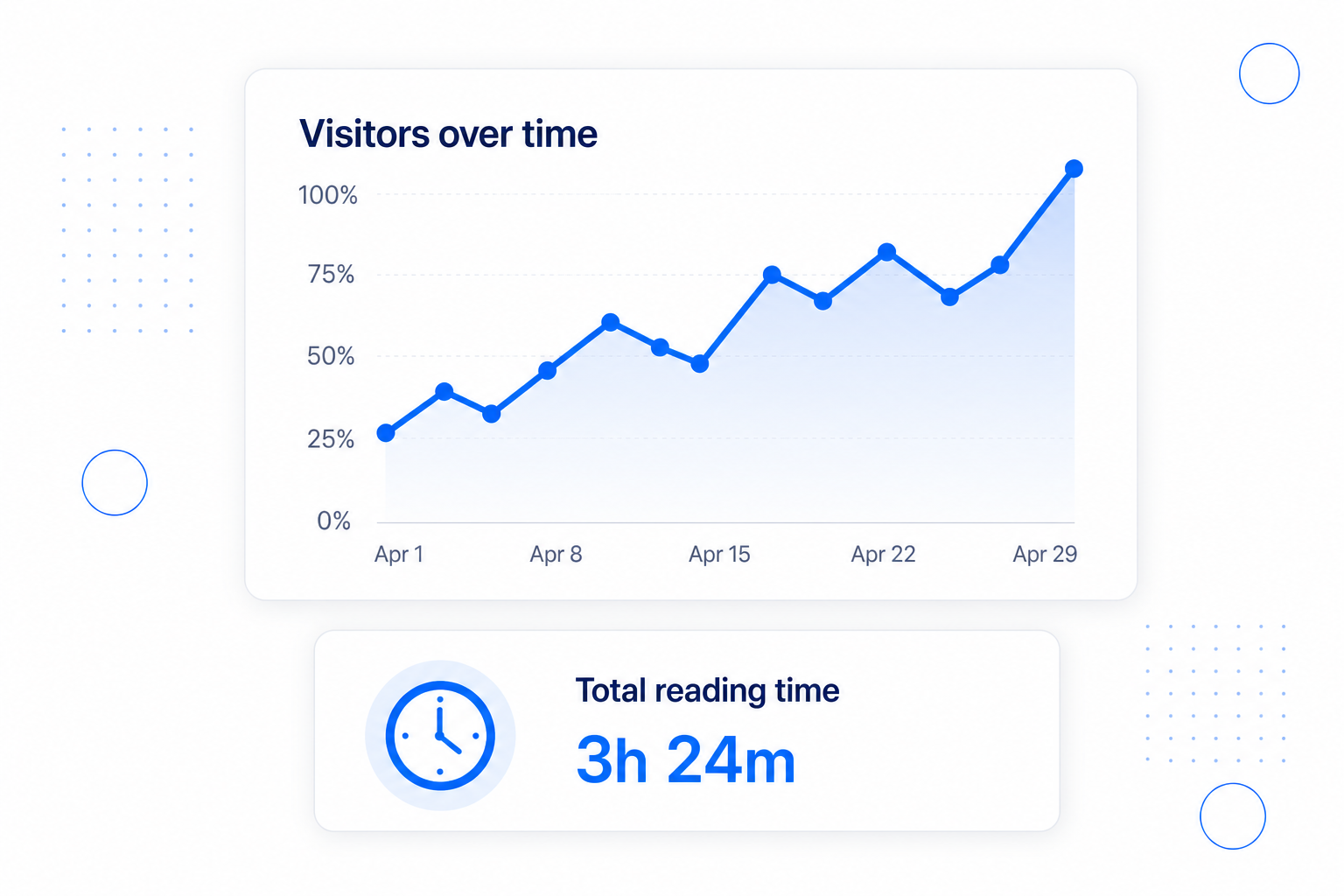
Time is the truest signal of interest. Alongside visitor counts, every flipbook tracks total reading time and visitors over time, so you can see whether a campaign, email or social post is actually pulling engaged readers.
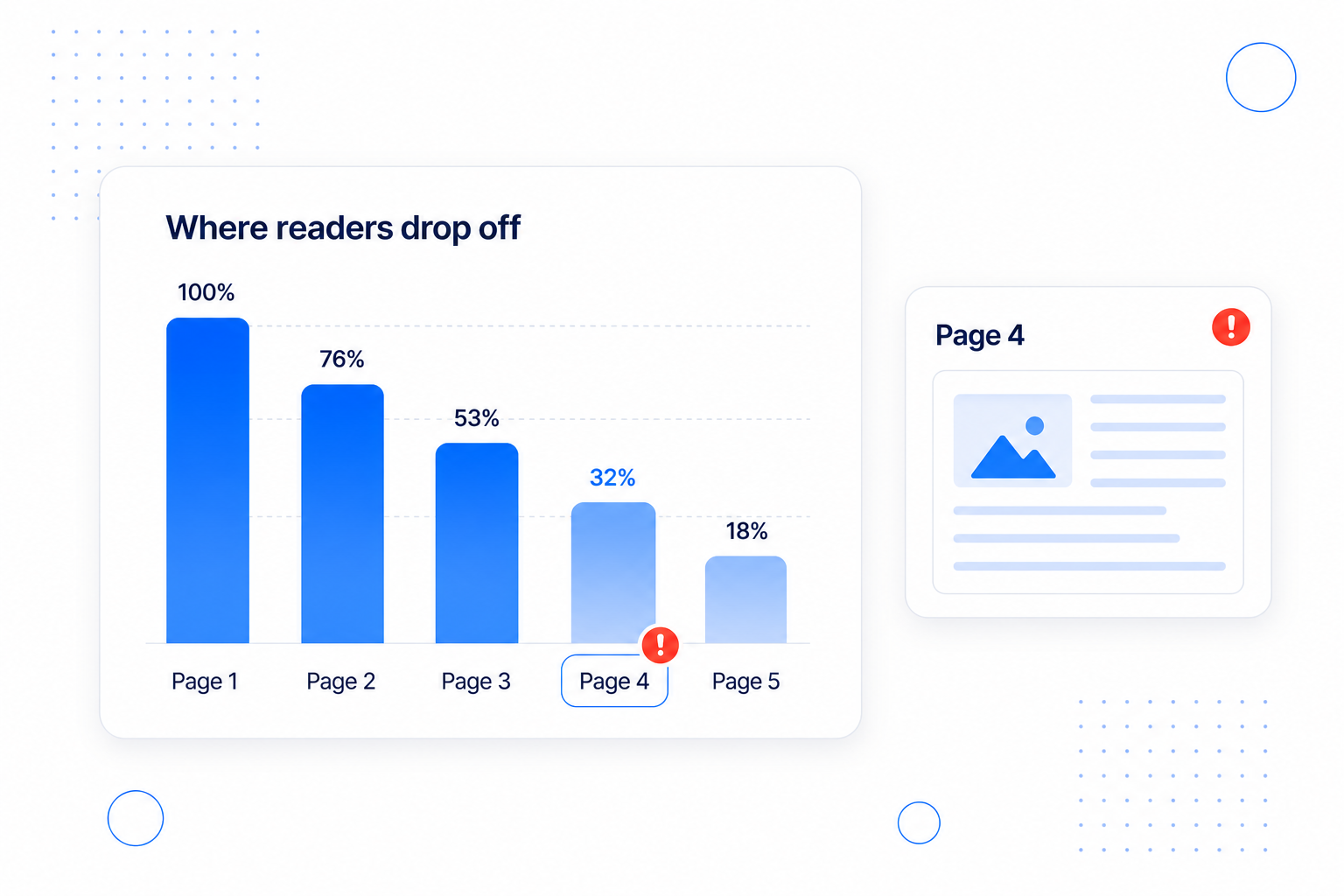
Most flipbooks lose readers at one or two specific pages - a slow intro, a dense spread, a weak call to action. The drop-off rate per page points straight to the problem so you can fix the right thing instead of rewriting everything.
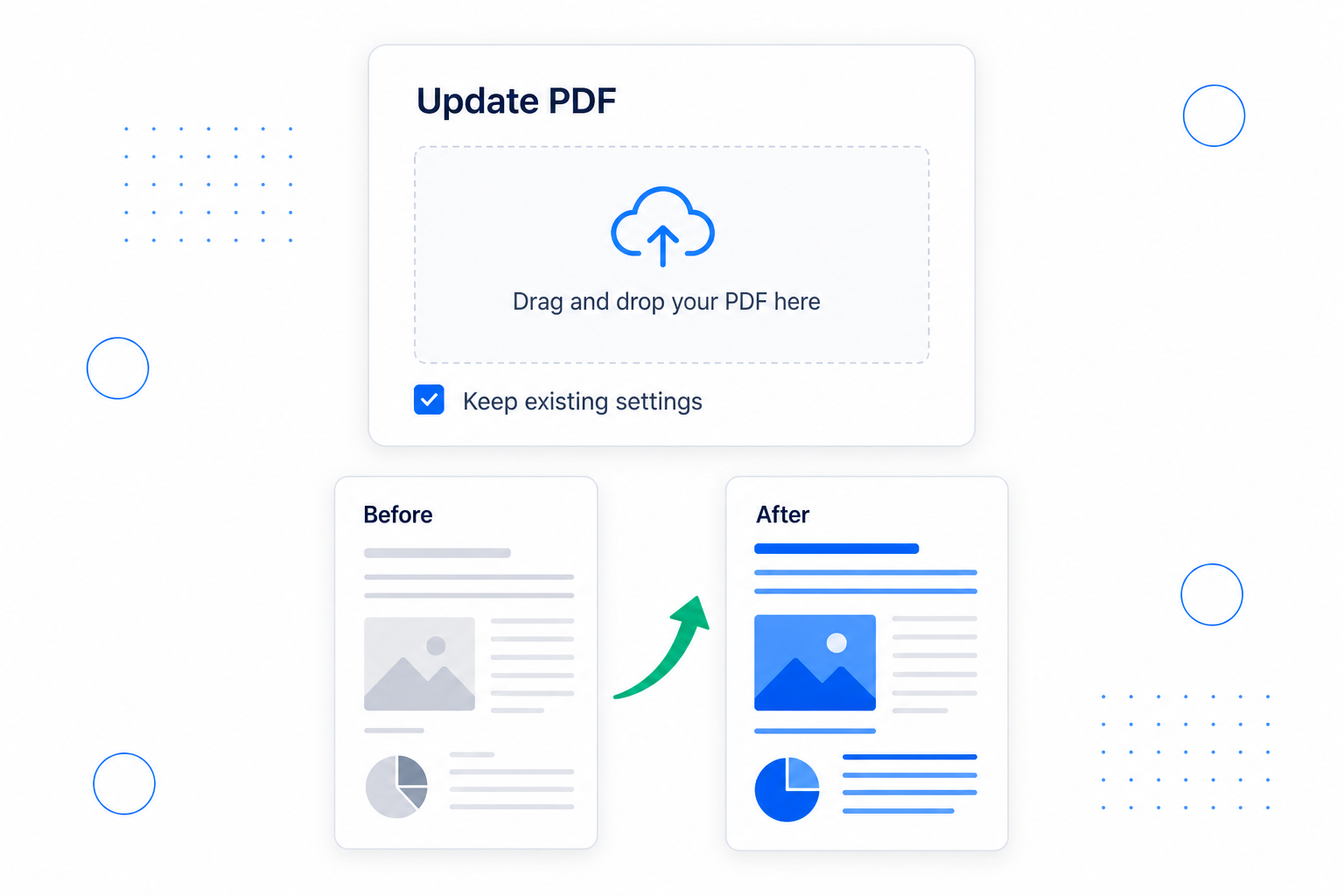
Insights are only useful if you act on them. When you have improved your content, swap the PDF straight into the same flipbook - your share link and embed stay exactly the same, so everywhere you posted it instantly shows the better version.
You can go from "I published a flipbook" to "I know exactly what to fix" in a few minutes. Here is the whole flow: open your statistics, read the overview, find the drop-off, then re-publish an improved version.
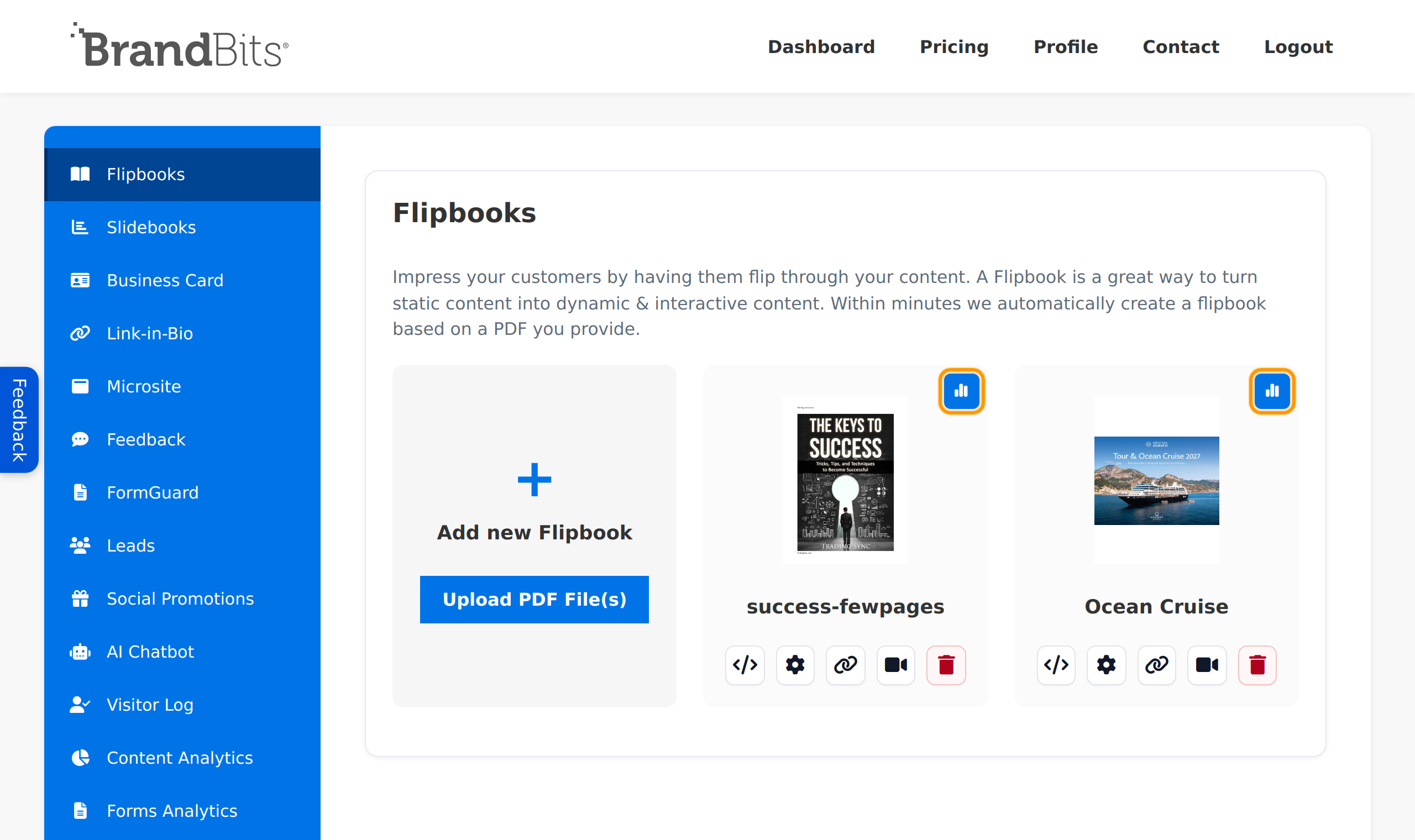
In the sidebar, open Flipbooks. On the flipbook you want to analyse, click the Statistics (chart) button. Every flipbook tracks its own stats automatically - there is nothing to set up.
The top of the report shows your headline numbers: Total visitors and Total reading time, plus a visitors over time chart. This is your quick health check.
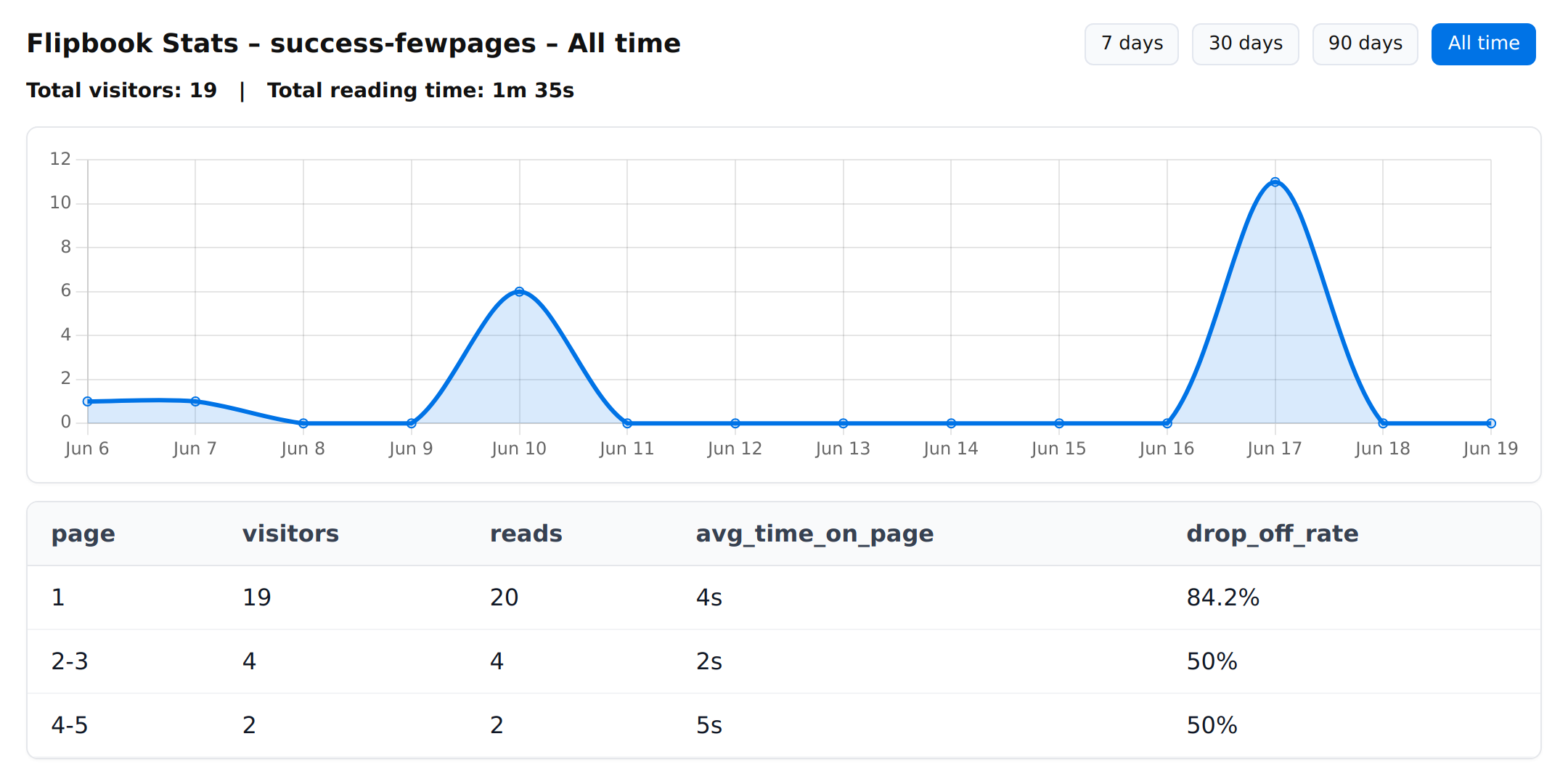
Scroll to the per-page table. Each row shows that page's visitors, reads, average time on page and drop-off rate. This is where the real story is.

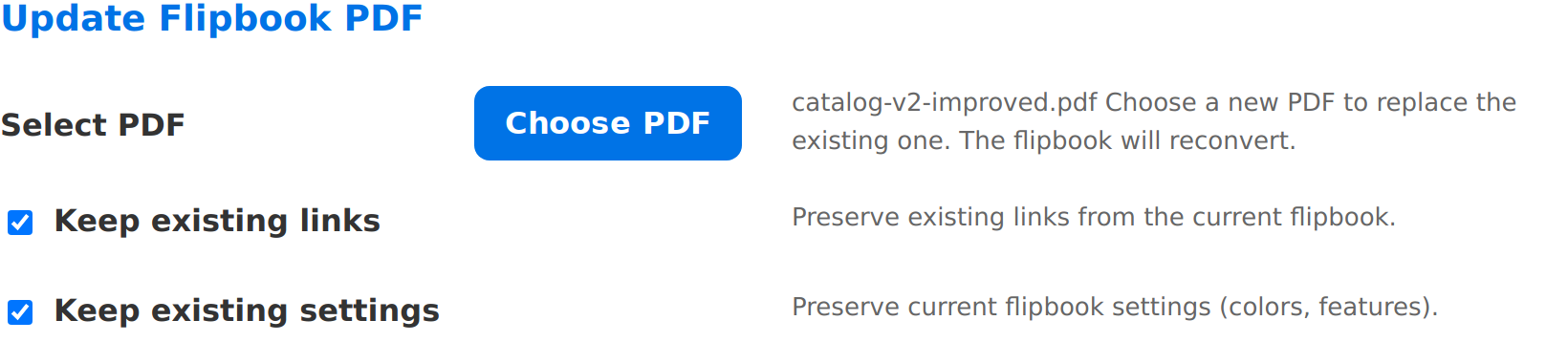
Make your edits in the original document - tighten the slow pages, move your strongest message before the drop-off point - then push the new version live without losing your link. On the flipbook's Settings page, scroll to Update Flipbook PDF.
Publish your flipbook, watch the page-by-page statistics to see what readers actually do, fix the page that loses them, then re-publish the improved version straight to the same link. Repeat, and every flipbook you make gets a little better at holding attention and driving action.
That measure-improve-repeat loop is built into BrandBits, and we keep adding tools over time based on customer feedback to make it even more valuable for you.