
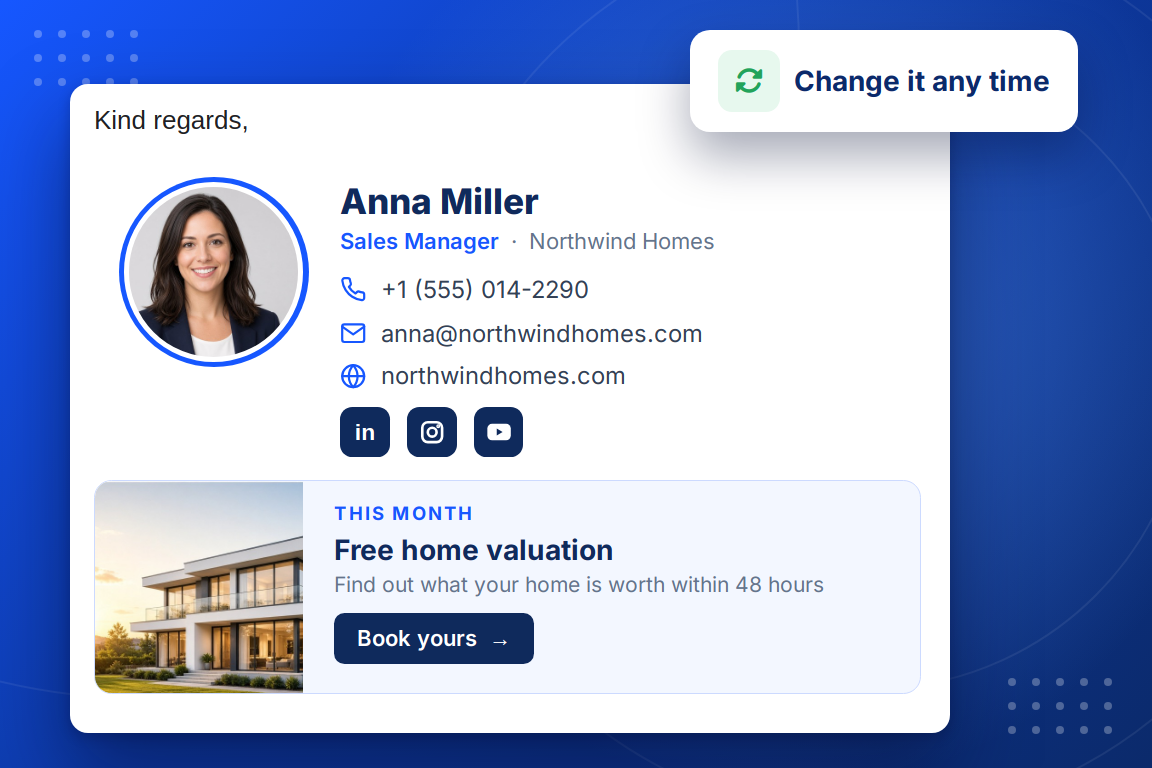
A banner is one of the three slots under your details, and you change it whenever you like. Each banner has:
One short message about what is on offer.
Your product, house or event photo beside it.
Linked to any page: a product, a booking page or your digital business card.
The same colour set as the rest of your signature.
You paste your signature into your mail program once. Everything after that happens in BrandBits.
Name, title, phone, website and a photo or logo. Watch the preview inside a real-looking email.
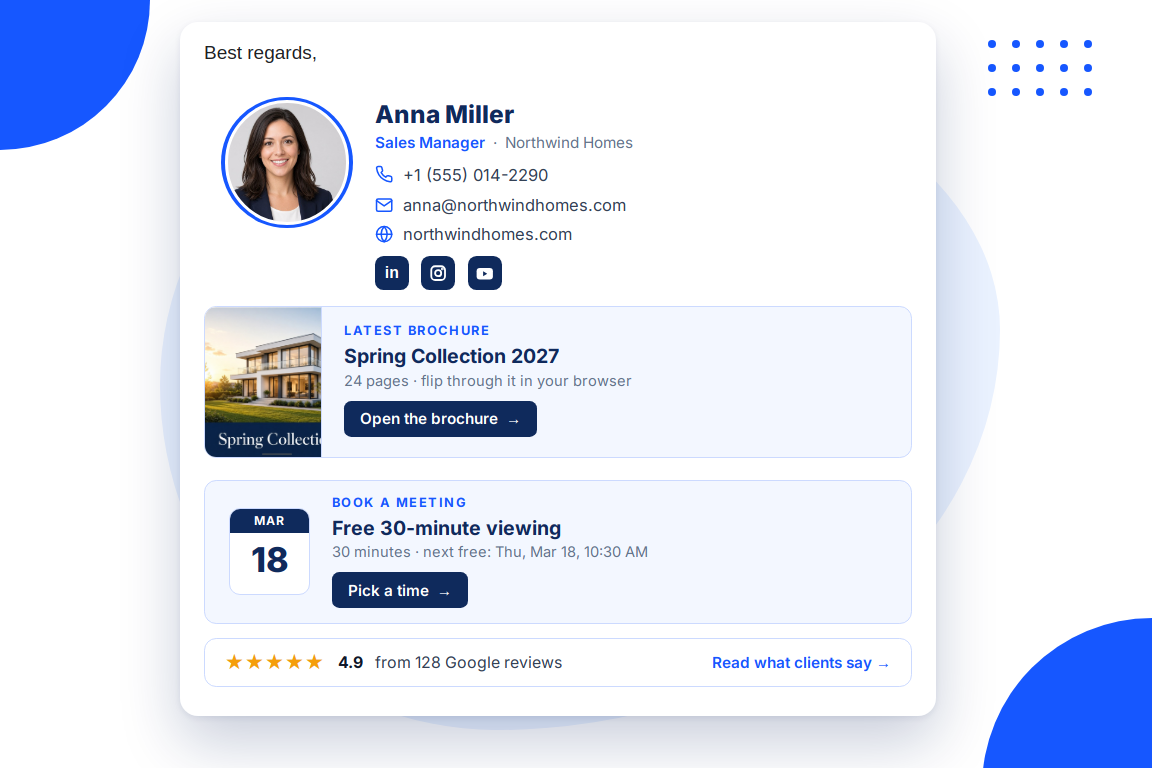
Up to three cards under your details: a brochure, a booking, your rating, a countdown or a banner.
Follow the steps for Gmail, Outlook, Apple Mail or your iPhone. Every later change shows up by itself.
Your signature can show live content from the BrandBits tools you already use. It updates by itself, so every email shows what is current.
You send more emails than any other kind of message, to people who already know you. The signature is the one part of every one of them you control.
Everyone you email already knows you, so a banner there gets read rather than ignored.
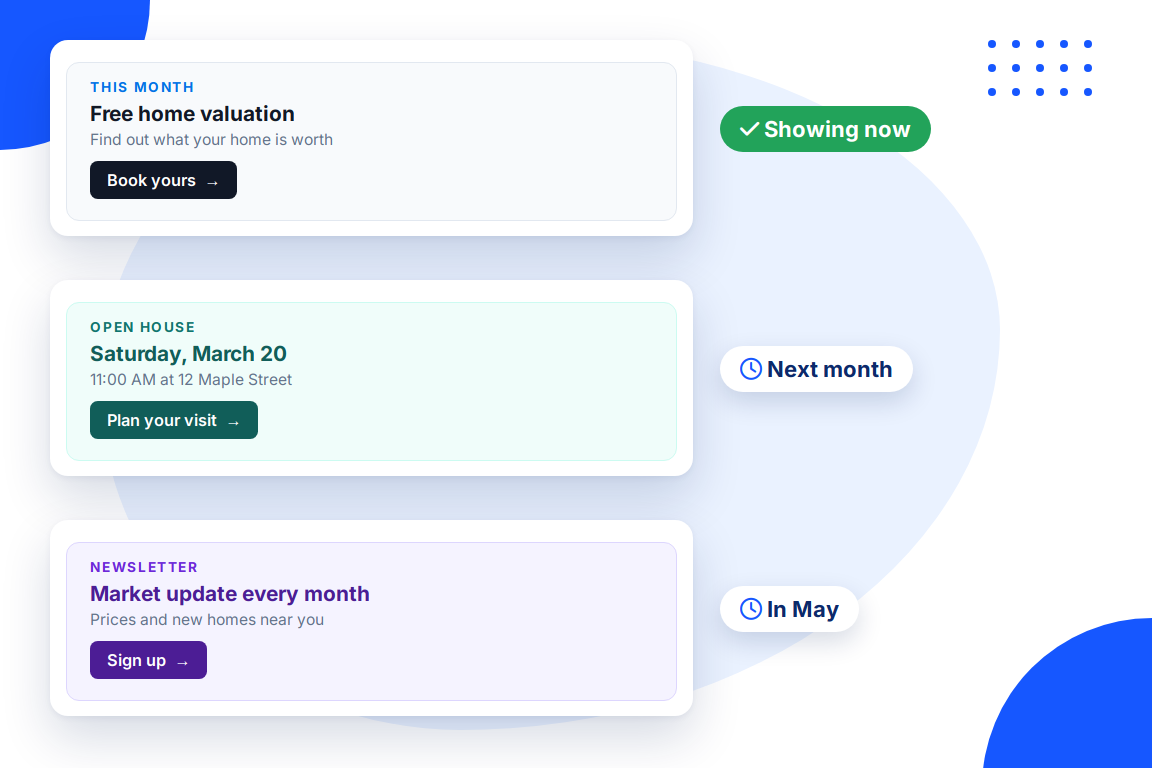
Swap the message and every email follows, with nobody pasting a new signature.
A countdown banner disappears when the event has passed, so nothing goes stale.
See how many people click each banner and switch to the message that works.
Banners and cards that work well in a signature:
Ring, circle, rounded or square crop for a photo, an uncropped frame for a logo, or your initials in your colours.
Five ready-made colour sets or your own brand colours, in a modern or a classic font.
Up to six, from LinkedIn and Instagram to WhatsApp and YouTube.
Your latest flipbook with its cover, switching by itself when you publish a new one.
Read from your real availability, so people can book you straight from an email.
Your rating and review count from the review sources you have connected.
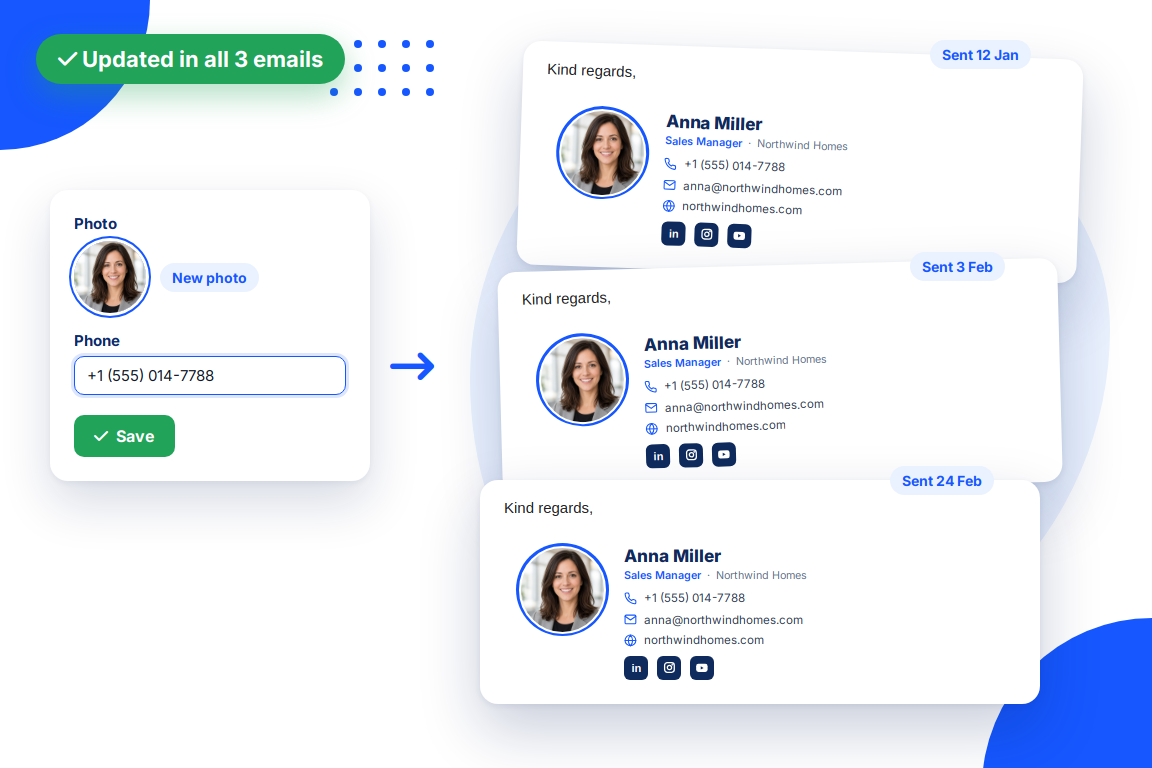
Saved changes appear in old and new emails alike, and live cards refresh every 15 minutes.
Every click counted per link, with an estimate of how often your signature is seen.
Everything below is made with the same signature generator.
What a good signature looks like for a realtor, a clinic, a consultant, a shop or a restaurant.
Email Signature ExamplesStart from a clean template, add your details and colours, and paste it into any mail program.
Email Signature TemplateA clean business email signature that looks the same in every inbox and never goes out of date.
Professional Email SignatureAdd your company logo or a photo to your email signature, sharp and correctly sized in every mail program.
Email Signature with LogoHow to add a professional signature with a photo and links to Gmail, step by step.
Gmail SignatureHow to add or change your signature in Outlook on the web, the new Outlook and Outlook for Windows.
Outlook SignatureA wide clickable block under your name and contact details that promotes one thing: an offer, an event, a brochure or a booking link. Here it is built from a heading, a line of text and a button, in your colours.
Yes. The signature is loaded live from your BrandBits site, so a new banner appears in every email, including the ones you already sent, the next time they are opened.
Yes. Every click is counted per link, so you see the banner’s clicks separately from your website, social icons and other cards.
Your subscription includes a full toolkit. Here are a few:
Turn PDFs into interactive, shareable flipbooks.
Create clean, engaging slide presentations online.
Shoppable, shareable photo galleries that sort themselves by interest.
Collect ratings and feedback with simple, embeddable widgets.
See traffic and conversions in one simple view.
Let visitors book appointments straight into your calendar.
Branded short links you can repoint anytime, with click stats.
A signature that updates itself, even in emails you already sent.
Capture emails with popups, floating bars and slide-ins.
Show your Instagram, TikTok and Facebook posts on your site.
Answer visitor questions 24/7 and hand over real leads.
Run promotions where visitors act to win and spread the word.
Send newsletters and simple automations to your leads.
Publish articles with built‑in testing and engagement tracking.